

What Is Canteen Management Software?
Table of Contents
Canteen management software is a digital platform that helps organizations manage food services, meal orders, billing, employee meal allowances, inventory, and daily canteen operations from one place. Instead of depending on handwritten registers, paper coupons, spreadsheets, and manual calculations, canteen operators can use a centralized system to record transactions and monitor performance. The software can serve corporate offices, manufacturing plants, hospitals, schools, colleges, hostels, and other institutions that provide meals to employees, students, or visitors. Depending on the product, it may include a point-of-sale (POS) system, employee mobile app, digital menu, QR-code ordering, RFID identification, and payroll integration. The main purpose is to make food service operations faster, more transparent, and easier to manage without adding unnecessary administrative work.
Think about a factory canteen serving hundreds of employees during a short lunch break. Staff members arrive together, queues grow quickly, and the cashier must handle payments while checking meal entitlements. If the entire process depends on manual records, even a small mistake can create billing discrepancies or delays. A canteen management system can automate much of this work by checking an employee’s meal allowance, recording the order, processing payment, and updating transaction records. Managers can then use these records to understand daily consumption, identify popular dishes, and prepare meals according to demand. The exact capabilities depend on the software selected, so organizations should evaluate their operational requirements before choosing a platform.
How Digital Canteen Management Works
A typical digital canteen workflow begins when a menu is published for a particular meal period. Employees or students can review the available dishes, place orders in advance if the platform supports pre-ordering, and pay through an accepted payment method or an authorized meal wallet. At the counter, the system records the transaction and sends the order to the kitchen or generates a token for collection. Inventory and sales records can be updated automatically when the software supports those integrations. After the meal period ends, managers can review sales, meal counts, employee deductions, and other reports instead of compiling every figure manually.
For example, a company may provide lunch at a subsidized price, with the employer paying part of the cost and the employee paying the remainder. The software can apply the relevant subsidy rules, record the employee’s contribution, and generate a report for the accounts team. Some systems also support RFID cards or biometric identification, allowing the canteen to verify employees before recording a meal. This is particularly useful in factories and large facilities where different departments, shifts, or employee categories have different entitlements. A successful implementation connects these steps into one consistent workflow, reducing repeated data entry and making it easier to identify mistakes.
Why Businesses Need Canteen Management Software
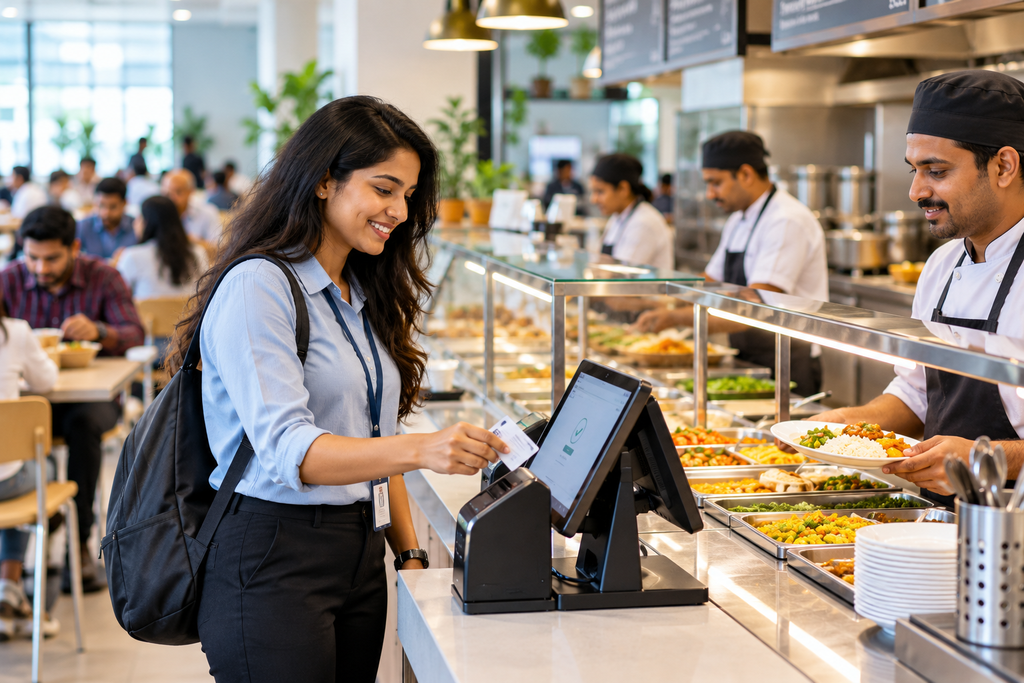
Managing a canteen involves much more than preparing food and collecting payments. Operators must estimate meal demand, purchase ingredients, manage suppliers, schedule staff, maintain hygiene standards, handle employee allowances, and reconcile financial records. When these activities rely on disconnected tools, managers may struggle to obtain an accurate picture of daily operations. A spreadsheet might show how many meals were ordered, while a paper register records how many were served and a separate accounting file tracks payments. Bringing these activities together through canteen management software creates a more reliable source of operational information.
Consider an organization with multiple shifts and several hundred employees. The breakfast, lunch, and dinner requirements may vary considerably because workers arrive at different times and have different meal entitlements. Manual meal coupons can be lost, reused, counted incorrectly, or exchanged without proper authorization. A digital system can associate each meal transaction with an employee, department, time, and payment method, depending on its configuration. Managers gain better visibility into consumption and can compare actual demand with planned meal quantities. This helps them make informed decisions about staffing, purchasing, portion planning, and food production.
Another important reason to adopt digital management is accountability. Finance teams need accurate records of revenue, subsidies, refunds, and employee deductions, while HR teams may need reports on attendance-related meal usage. Canteen supervisors need information about sales, stock, and service performance. When everyone works with the same verified records, there is less need to reconcile conflicting information between departments. Digital records do not eliminate every error, but appropriate permissions, validation rules, and audit trails can make errors easier to identify and correct.
Key Features of Canteen Management Software
The right platform should match the actual needs of the organization rather than simply offering the largest number of features. A small college canteen may need menu management, basic billing, and digital payments, while a large manufacturing facility may require employee identification, shift-based meal allowances, multiple counters, and payroll integration. Before purchasing a system, managers should identify the operational problems they want to solve and check whether the software addresses them directly. The following features are among the most useful capabilities to evaluate.
Digital Menus and Meal Planning
Digital menu management allows operators to create menus for breakfast, lunch, dinner, and snacks without repeatedly printing paper notices. Managers can update dish names, prices, meal timings, availability, and special menus from a central dashboard. Employees can view the current menu through a supported website, mobile app, kiosk, or QR code. If pre-ordering is available, employees can reserve meals before a specified cutoff time, giving the kitchen a more accurate estimate of demand.
Meal planning becomes more effective when the system retains historical order information. Managers can compare demand across weekdays, departments, shifts, and meal periods to identify recurring patterns. For instance, if a particular meal consistently receives fewer orders on Fridays, the kitchen may reduce the preparation quantity rather than producing the same amount every day. Forecasting tools can make additional recommendations, although the quality of those recommendations depends on the accuracy and volume of historical data. Digital menu management therefore supports both customer convenience and more disciplined food preparation.
Employee Meal Cards and Cashless Payments
Cashless canteen systems allow employees to pay using supported digital wallets, QR codes, RFID cards, or other configured payment methods. Organizations can also provide meal credits or subsidies to eligible employees and track how those benefits are used. This removes the need to collect cash for every transaction and can reduce delays during busy meal periods. For example, an employee might tap an authorized RFID card at the counter, after which the software checks eligibility, applies the subsidy, records the transaction, and generates a token.
A useful system should handle unsuccessful transactions clearly. It should prevent unauthorized deductions, maintain a transaction history, and provide a defined process for refunds or corrections. Organizations should also check whether the software supports prepaid wallets, postpaid billing, UPI payments, or salary deductions, because these options are not interchangeable. Payment security, access permissions, and reliable transaction records are essential when managing employee balances. If the canteen uses existing access-control cards, the vendor should confirm hardware compatibility before promising integration.
Inventory and Food Waste Management
Food inventory management helps canteen teams track ingredients, stock levels, purchases, consumption, and wastage. Depending on the software, stock may be updated through item sales, recipe-based ingredient deductions, purchase entries, or manual adjustments. Low-stock alerts can help managers reorder important ingredients before they run out, while consumption reports can reveal unusual usage. These functions are particularly useful for kitchens that prepare meals in large quantities or manage multiple menus every day.
Food waste tracking is another valuable feature. When a system records how much food was prepared, sold, and discarded, managers can compare production with actual demand and adjust future preparation quantities. For example, if 200 portions are prepared but only 150 are sold, the team can investigate whether the issue resulted from inaccurate forecasting, menu preferences, portion sizes, or changes in attendance. Software alone cannot prevent waste, but consistent data makes the causes easier to investigate. Over time, improved planning can reduce unnecessary ingredient purchases and help the organization use its food budget more effectively.
Billing, Reporting, and Payroll Integration
Automated billing records the amount charged for each order and can generate receipts, invoices, or transaction summaries. Reporting features help managers review daily sales, meal counts, department-wise spending, payment methods, refunds, and other relevant figures. Where employee subsidies apply, the system can separate the employer’s contribution from the employee’s share. Payroll integration or a secure export can then help the accounts team prepare authorized salary deductions without re-entering each transaction manually.
Organizations should verify the details of any integration before purchasing the software. A system that exports a spreadsheet may not provide the same functionality as a direct connection to an existing HR or payroll platform. Managers should confirm supported formats, synchronization frequency, approval workflows, and error-handling procedures. They should also ensure that financial adjustments remain traceable and that only authorized personnel can access sensitive records. Reliable reporting is most valuable when the figures are consistent, understandable, and suitable for the decisions the organization needs to make.
Benefits of Canteen Management Software
One of the biggest advantages of canteen management software is that it replaces repetitive administrative work with a more structured process. Instead of manually counting coupons, calculating employee deductions, and combining sales figures from different registers, staff can record transactions in a centralized system. This can free up time for customer service, food preparation, and quality control. The extent of the improvement depends on the number of manual tasks the organization eliminates and how effectively its employees use the new system.
Another important benefit is improved financial visibility. Digital records make it easier to compare sales, food purchases, subsidies, and operating expenses. Managers can identify discrepancies sooner and investigate unusual changes in meal consumption or ingredient usage. For organizations that subsidize food, these records also help explain how much the company spends on employee meals and whether spending remains within the approved budget. Accurate reporting supports better decisions, but the software must be configured correctly and staff must record purchases, refunds, and adjustments consistently.
Customer experience can improve as well. Digital menus, pre-ordering, QR-based payments, and token systems may help employees spend less time waiting in queues. Employees can see what is available before reaching the counter, while kitchen staff receive clearer order information. In a busy campus or factory, even small improvements to the ordering process can make the lunch period feel more organized. However, the organization should test the system during peak periods because a slow terminal or unreliable network can create new delays instead of solving existing ones.
Food waste reduction and inventory control offer further advantages. When kitchen teams can compare planned meals with actual consumption, they have a stronger basis for adjusting production quantities. Stock records also help identify frequently purchased ingredients and potential shortages. These insights can support purchasing decisions, improve portion planning, and reduce unnecessary expenditure. The strongest results usually come when software reports are combined with sensible procurement practices, consistent stock checks, and feedback from kitchen staff.
Types of Canteen Management Systems
Not every canteen requires the same technology. Choosing the right type depends on the number of diners, the number of counters, the complexity of meal entitlements, the payment methods available, and whether the organization operates multiple locations. Understanding the main system types can help managers avoid paying for features they will never use or selecting a basic platform that cannot support future growth.
A cloud-based canteen management system runs through an online service and is generally accessible from supported devices with an internet connection. It can make centralized reporting, software updates, and management across locations easier. Organizations should ask about data backup, service availability, access controls, and what happens if the internet connection fails during a busy meal period.
An on-premises canteen management system is installed on the organization’s own infrastructure or managed local network. This may appeal to facilities that need greater control over their IT environment or have specific connectivity requirements. However, the organization may have more responsibility for maintenance, backups, updates, and infrastructure security.
A cashless cafeteria system focuses on employee identification and payment processing through methods such as RFID cards, QR codes, digital wallets, or biometric devices. It can be particularly useful in large workplaces where meal subsidies and shift-based entitlements must be enforced consistently. A canteen POS system, on the other hand, emphasizes order entry, billing, receipts, and sales reports. Some products combine POS, inventory, employee meal management, and pre-ordering in a single platform.
| System type | Best suited for | Main consideration |
|---|---|---|
| Cloud-based software | Multi-location organizations and growing businesses | Internet reliability and subscription costs |
| On-premises software | Organizations with specific infrastructure requirements | Maintenance and IT responsibility |
| Cashless cafeteria system | Factories and corporate offices | Card, biometric, and subsidy compatibility |
| Canteen POS software | Small canteens and food counters | Billing, stock control, and reporting needs |
| Campus canteen platform | Schools, colleges, and hostels | Student accounts, tokens, and pre-orders |
The most suitable solution may combine several of these categories. For example, a college could use cloud-based software with QR ordering and a kitchen display, while a manufacturing plant might prioritize RFID identification, payroll deductions, and shift-based meal allowances.
How to Choose the Right Canteen Management Software
Selecting software should begin with an assessment of the existing canteen operation. Managers should document the number of daily meals, peak service periods, payment methods, employee categories, current billing process, and major sources of errors. They should also determine whether the system will serve one canteen or multiple locations. These details help vendors recommend an appropriate configuration and make it easier to compare competing proposals fairly.
The next step is to evaluate essential features. Check whether the software supports the required meal periods, digital menus, order management, stock tracking, reports, and payment methods. If employees receive different subsidies, confirm that the platform can apply the correct rules for each employee category, shift, and meal. If the company already uses an HRMS, payroll platform, or access-control system, ask the vendor to demonstrate the actual integration rather than relying on a general claim that integration is available.
Ease of use matters just as much as the feature list. Cashiers need to process transactions quickly, kitchen staff need clear order information, and managers need reports they can understand without technical training. During a demonstration, ask the vendor to show a complete transaction from order placement to payment, meal collection, and reporting. Test how the system handles cancellations, refunds, duplicate scans, low balances, unavailable menu items, and temporary network failures. These practical scenarios reveal more about usability than a presentation focused only on attractive dashboards.
Security and support should also influence the decision. Confirm how user accounts are protected, how access permissions are assigned, whether data is backed up, and how transaction histories can be reviewed. Ask about customer support hours, software updates, staff training, data export options, and the process for leaving the service if your requirements change. A vendor should clearly explain what is included in the price and which integrations, devices, or customizations cost extra.
Canteen Management Software Cost in India
The cost of canteen management software in India varies according to the number of users, counters, locations, hardware requirements, and features included. Basic billing software may be considerably cheaper than an enterprise cafeteria system with RFID readers, employee subsidies, payroll integration, and centralized reporting. Some vendors charge a monthly or annual subscription, while others offer licenses, custom development, or separate charges for installation and support. As a result, there is no single price that applies to every organization.
The following examples illustrate the range of publicly advertised prices found on vendor websites in October 2026. They are indicative starting prices, not standardized market averages or guaranteed quotations.

Raise Solutions
+2
| Solution type | Example advertised price | Typical use case |
|---|---|---|
| Basic campus canteen subscription | ₹2,000/month | A single canteen serving a smaller campus |
| Growing campus platform | ₹7,500/month | Multiple canteens or larger student populations |
| Corporate or factory software | ₹20,000–₹40,000/year | Employee meal tracking and subsidy management |
| Custom canteen system | From ₹60,000 | A tailored solution with specific workflows |
| RFID or other hardware | Additional cost | Identification and counter automation |
Prices and included features vary by provider. Taxes, installation, hardware, support, and integration fees may be additional. Confirm current terms directly with each vendor.
When comparing prices, focus on the total cost of ownership rather than the headline subscription fee. A low-cost system may require separate payments for extra users, additional counters, RFID readers, transaction devices, or technical support. A custom solution may require an initial development investment followed by hosting and maintenance costs. Ask every vendor to provide a written quotation covering setup, data migration, training, integrations, renewal fees, and any required hardware.
It is also useful to estimate the potential return on investment. Suppose a canteen spends several hours each week reconciling transactions and manually preparing reports. If automation reduces that workload, the organization may gain time that staff can devote to other responsibilities. Savings might also come from fewer billing errors, better ingredient planning, or lower food waste. However, these benefits should be measured against the actual costs and operating conditions rather than assumed in advance.
Best Practices for Implementing Canteen Management Software
A successful implementation starts with a clear plan. Before configuring the software, document the current menu, meal prices, employee categories, subsidy rules, payment methods, stock procedures, and reporting requirements. This gives the implementation team a reliable reference and reduces the risk of carrying incorrect information into the new system. Assign a project owner who can coordinate HR, finance, IT, canteen staff, and the software provider.
Next, clean the data that will be imported. Employee records should be current, duplicate profiles should be resolved, and meal allowances should be checked against approved company policies. Menu items and prices should be reviewed, while existing stock records should be reconciled wherever practical. Accurate starting data is essential because automation can reproduce errors just as quickly as it can eliminate manual work.
A pilot launch is usually preferable to switching every counter at once. Test the system at one counter, during one meal period, or within a smaller department. Ask employees and staff to try common transactions and report any problems. Use the pilot to verify billing accuracy, transaction speed, meal entitlements, report totals, refunds, and network behavior. Resolve the most important issues before expanding the system to the entire organization.
Training should be practical and role-specific. Cashiers need to know how to process orders and correct mistakes, kitchen staff need to understand order notifications, and managers need to review reports and manage permissions. Employees should receive clear instructions on how to view menus, make pre-orders, and use their meal accounts. After launch, monitor a small set of meaningful indicators, such as average service time, transaction errors, food waste, and daily reconciliation differences. Regular reviews help the organization determine whether the software is delivering measurable improvements.
Future Trends in Canteen Management Technology
Canteen technology is moving beyond basic billing toward connected systems that coordinate ordering, kitchen operations, payments, and management reporting. One important development is AI-assisted demand forecasting. By analyzing historical meal counts, menu choices, and recurring consumption patterns, forecasting tools can help kitchen managers estimate how much food to prepare. Some systems may eventually incorporate additional signals, such as planned attendance or special events, where suitable data is available. Forecasts should still be checked against real-world conditions because unexpected absences, menu changes, and operational disruptions can affect demand.
Mobile-first ordering is another important trend. Employees and students increasingly expect to check menus, reserve meals, and receive order updates through familiar digital interfaces. QR codes can make menus accessible without requiring every user to install a dedicated application, while digital tokens can simplify meal collection. For large campuses, kitchen display screens can help staff prioritize incoming orders and track their status. These features are most effective when they reduce unnecessary steps instead of introducing additional complexity for diners or employees.
Integration is likely to remain a major consideration as organizations connect canteen operations with other business systems. Connections with HR platforms, payroll software, accounting tools, and access-control systems can reduce duplicate data entry and improve reporting consistency. However, organizations should consider privacy and access permissions carefully, particularly when meal records are connected to employee identities. Only the information needed for a legitimate operational purpose should be collected and shared, with appropriate safeguards in place.
Sustainability will also influence future cafeteria management. More accurate production planning, ingredient tracking, and food waste reports can help organizations understand how their daily decisions affect resource consumption. Digital systems may support reusable-container programs, demand-based menus, and more transparent purchasing records. Ultimately, the most useful technology will be the technology that improves service, reduces avoidable waste, and helps people make better decisions without making everyday canteen operations harder.
Conclusion
Canteen management software helps organizations modernize food service by bringing meal ordering, billing, inventory, employee allowances, and reporting into a coordinated system. Whether you manage a small office cafeteria, a busy college canteen, or a large factory dining facility, the right software can reduce repetitive administration and provide better visibility into daily operations. Features such as digital menus, cashless payments, RFID identification, pre-ordering, and payroll integration can be especially valuable when they address real problems in the existing workflow.
The best choice is not necessarily the most expensive platform or the one with the longest feature list. It is the solution that matches your canteen’s size, budget, service requirements, and plans for future growth. Compare vendors carefully, test realistic transactions, review security and support arrangements, and calculate the complete implementation cost before making a decision. Start with clear objectives, train the people who will use the system, and measure the results after launch. With the right approach, digital canteen management can create a smoother experience for diners while helping managers operate their food services more efficiently.
Frequently Asked Questions (FAQs)
1. What is canteen management software used for?
Canteen management software is used to manage meal orders, digital menus, billing, payments, inventory, employee meal allowances, and operational reports. Depending on the platform, it can also support QR-code ordering, RFID cards, food waste tracking, and payroll integration. It helps canteen operators replace disconnected manual processes with a more organized digital workflow.
2. How much does canteen management software cost in India?
The price depends on the provider, number of users, features, hardware, and deployment model. Basic campus subscriptions may start at around ₹2,000 per month, while corporate systems may be advertised at ₹20,000–₹40,000 per year. Custom-built systems and hardware-based installations can cost considerably more. Always request an itemized quotation and confirm taxes, setup, integration, and support charges.
3. Can canteen management software support employee meal subsidies?
Yes. Many corporate canteen systems allow organizations to define employee meal allowances, apply subsidies, track individual consumption, and generate deduction reports. Some platforms also support department-specific policies, shift-based entitlements, and payroll exports. Verify that the selected product supports your organization’s exact rules before purchasing it.
4. Is canteen management software suitable for schools and colleges?
Yes. Schools, colleges, and hostels can use canteen management software to publish menus, manage student accounts, process digital payments, issue meal tokens, and handle advance orders. Larger campuses may benefit from multiple-counter support and centralized reporting. The right configuration depends on student numbers, meal schedules, payment preferences, and the institution’s operating policies.
5. How do I choose the best canteen management software for my organization?
Start by identifying your main challenges, such as long queues, manual billing, inaccurate stock records, food waste, or complicated employee subsidies. Compare software features, usability, pricing, security, integration options, and customer support. Request a live demonstration and test typical transactions before committing. Choose a solution that meets your current needs while allowing room for future growth.